
5 Easy Ways to Add Loads to SmartHop
Beyond using SmartHop to search for profitable loads, carriers and dispatching services use the platform to manage their trips, from driver communication to invoicing to broker status updates, and more. The first step in benefitting from our trip management solutions is adding your trips to SmartHop. We’ve made it incredibly easy, with five different ways to add a trip for you to choose from.
Contact us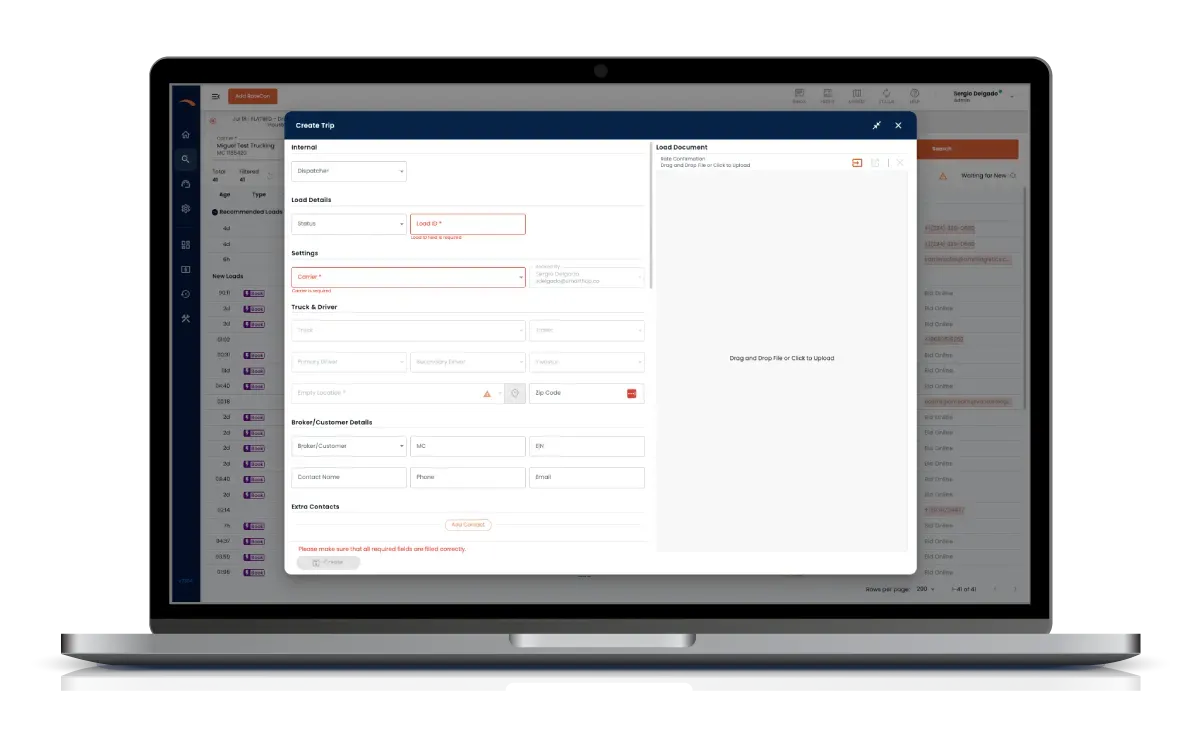
What makes our load board better?
1. Drag and Drop Rate Confirmations
Simply drag and drop a rate confirmation or upload one from your computer to effortlessly create a trip. The system pulls the relevant information directly from your rate confirmation file to add a new trip.
2. Email Rate Confirmations to SmartHop
Our email rate confirmation feature makes it easier than ever to create a new trip. Simply forward your rate confirmation directly from your email, and SmartHop creates a trip using the details from your file.
Here's how it works:
- Receive a rate confirmation email from your broker
- Forward the email to support@getoptimus.ai
- SmartHop will upload the rate confirmation and create a trip automatically
- You'll receive a confirmation email once the file is processed
- Log in to SmartHop to manage your trip effortlessly
See it in action:
Allow others to email rate confirmations:
You can also give team members the ability to email rate confirmations to SmartHop without giving them full access to your account. Simply add them to the “Eligible to email RateCons” section within your SmartHop profile.
3. Manual Trip Creation
For those who prefer a hands-on approach, our system also allows you to input load details manually.
- Fast and Accurate: Save time by entering trip details yourself, ensuring a smooth and efficient process.
4. Book Digitally
Browse and book eligible loads directly from the SmartHop load board.
- Multiple Sources: Explore loads available for digital booking from DAT and direct broker connections
- Convenient Booking: Secure the best loads without leaving the SmartHop platform
5. Bid to Broker
Submit digital bids to brokers to negotiate rates while securing loads that meet your criteria.
- Digital Bidding: Bid on loads directly within the SmartHop platform — no need to pick up the phone
- Negotiate Rates: Quickly negotiate rates to increase revenue
Designed for Carriers and Dispatching Services
At SmartHop, we know every company operates differently. That’s why we created so many easy ways to add trips to the platform. Our platform is designed with carriers and dispatching services in mind, ensuring that you can streamline operations, reduce errors, and maximize efficiency.
Ready to experience effortless load management? Request a demo to see how it works for your business.
Get startedWho is SmartHop for?
SmartHop’s powerful trip management software makes it easy for fleets to book better loads, faster, and improve productivity to maximize profits, minimize downtime, and cut overhead costs.
Our self-service platform supports:
- Full Truck Loads (FTL)
- 53′ Dry Vans, Reefers, Flatbed, Power Only
- Regional and OTR lanes
- Fleets with solo and team drivers
- Independent dispatchers supporting multiple MCs

See what our customers are saying
“This payroll solution is saving me about 4 hours a week. It’s been a huge help.”
Devin ChapmanHitched “It's so convenient how this platform connects a market analysis map to real, available loads. Covering a truck used to take 3-8 hours, but now it's done in less than 30 minutes.”
Jessica ZapataOwner, J&M Dispatching “SmartHop is the perfect solution to anyone that is just starting out as a carrier. I wish I had a partner like SmartHop to learn from when I started!”
Raysan Ceballos
Contact us today
See how SmartHop can help you maximize your profit potential with every trip to build a healthier trucking business.